
Скачать How to Move Outlook Contacts
How to Move Outlook Contacts to VCF & WAB
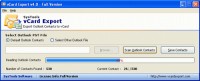
Although contacts are very small information, it is very useful for communication even most of the cell phones, ACT, iPod®, Palm® etc gives features to store contacts information. To share contacts, you can use SysTools vCard Export. SysTools vCard Export demo version of the outlook Contacts Converter converts 15 Outlook Contacts at free of cost. Now you can easily and quickly Convert Outlook Contacts to vCard with help of Transfer Outlook Contacts information tool. SysTools Groups represents a solution named as vCard Export that provides the facility to Convert Outlook Contacts to some other file format such as vCard, WAB & Excel. As we all knows that MS Outlook save each item into a single PST file that's why if any corruption takes place into PST file, you will be unable to read any item of MS Outlook. So that for security purpose we should save our precious contacts to some other format. How to move Outlook Contacts? Some simple steps required to convert Outlook Contacts:
1. Select Outlook PST file (You can either choose "Default Outlook Contacts or "Other Outlook File")
a. After choosing "Default Outlook Contacts", click "Scan Outlook Contacts" to proceed
b. On choosing "Other Outlook File", click the "Browse" button to proceed. After selecting, click "Scan Outlook Contacts"
2. To save the contacts, click the "Save Contacts" button
3. Choose the required file format (VCF/WAB/XLS) and choose the conversion option (Single vCard File or Separate vCard File)
4. To initiate the conversion process, click the "Start Conversion" button
5. Choose a location to save the contacts and click "OK"
SysTools Software also offers you demo version for evaluating the features of vCard Export. You can use our demo version of SysTools vCard Export which is completely free. Free outlook contacts converter converts only 15 contacts to vCard. After getting the satisfactory result, you can purchase personal licensed version of vCard Export at just $49.
Скачать How to Move Outlook Contacts бесплатно на странице загрузки.
How to Move Outlook Contacts 4.0
Основная информация о программе
Разработчик
Лицензия
Версия
Дата релиза
Размер файла
Операционная система
Семейство
Версия ОС
WinXP
Windows2003 & Windows 7
Требования
Популярность у пользователей
Рейтинг
Голосов
Статистика просмотров
За сегодня
За неделю
За все время
Статистика загрузок
За сегодня
За неделю
За все время
Дополнительная информация
Дата изменения
Ключевые слова
Скачать How to Move Outlook Contacts 4.0
how to move outlook contacts
transfer outlook contacts information
convert outlook contacts
shift outlook contacts
convert outlook contacts using vcard
vcard export
free outlook contacts converter
Популярные программы рубрики


