
Скачать Neoxen Visual Modus for SharePoint
Windows Desktop Explorer for SharePoint
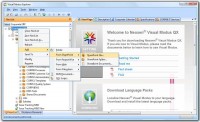
Visual Modus is a Windows Desktop Explorer for SharePoint. It allows you to manage and share documents, restructure folders and other resources stored in SharePoint. Drag and drop between SharePoint sites, to and from your email, local folders, ftp sites and network locations. Copy, move, add, and remove entire folder structures. Check-in, check-out, and send to other locations or email. Edit the SharePoint documents with any associated desktop application. Drag and drop emails and attachments directly to SharePoint or from SharePoint to your email. Manage document versions and properties. Create new documents from templates. Create your own logical navigation trees to SharePoint contents, even from multiple sites. Store these NaviLists as XML files and share them with your colleagues. Email NaviLists to others or send Visual Modus links to any SharePoint contents. Store your favorite locations into your Favorites. Create team, role or project based NaviLists and store them centrally in SharePoint. Define users to automatically load the specified NaviLists. Both Active Directory and forms based authentication are supported. Visual Modus supports HTTP, HTTPS, WebDAV, FTP and ODMA. Combine entire MOSS 2007, WSS 3.0 and SharePoint 2003 sites or only certain folders to logical hierarchies. Combine your FTP, intranet, file share, WebDAV and SharePoint sites. Link documents, instructions, descriptions, web links or folder contents together and store them as NaviLists. Visual Modus Explorer is installed in the client machine, no server installation is needed and no modification to the server or security settings is required. After setting up a server connection from Visual Modus Explorer, you can navigate the SharePoint server contents just as you would navigate folders in Windows Explorer. Navigate to a document or folder and right-click to get access to all related functionality. Open the SharePoint Organizer from the Tools menu to synchronize your offline files.
Скачать Neoxen Visual Modus for SharePoint бесплатно на странице загрузки.
Neoxen Visual Modus for SharePoint 10.38
Основная информация о программе
Разработчик
Рубрика
Лицензия
Версия
Дата релиза
Размер файла
Операционная система
Семейство
Версия ОС
Win7 x64
Windows 8
WinServer
WinOther
Windows Server 2008r2
Windows Server 2012
WinVista
Windows Vista Starter
Windows Vista Home Basic
Windows Vista Home Premium
Windows Vista Business
Windows Vista Enterprise
Windows Vista Ultimate
WinVista x64
Требования
Популярность у пользователей
Рейтинг
Голосов
Статистика просмотров
За сегодня
За неделю
За все время
Статистика загрузок
За сегодня
За неделю
За все время
Дополнительная информация
Дата изменения
Ключевые слова
Скачать Neoxen Visual Modus for SharePoint 10.38
SharePoint Web Parts
webparts
web part
sharepoint explorer
desktop explorer
shell extension
windows explorer
SharePoint
Windows
desktop
integration
drag&drop
file system
file share
document management
ftp
webdav
Популярные программы рубрики


