
Скачать QuickEditor
Small, quick and always accessible notepad
What is QuickEditor?
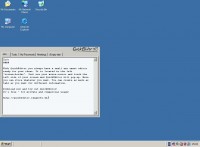
QuickEditor is a free, small and light-weight notepad which is always ready for your input. If you do not need QuickEditor, it will hide itself in the left or right "screen-frame" and will stay there until you move your mouse-cursor to the left/right side of your screen. Then QuickEditor will instantly pop-up and is ready for your input. QuickEditor is designed to run always in the background and if you instantly need a place to put information in, you can use QuickEditor.
Is QuickEditor free?
Yes! QuickEditor is absolutely free. Also for commercial use.
Why use QuickEditor instead of Notepad or something else?
Notepad is nice, but you always have to start it, if you need it. It is always there and visible in the windows taskbar. Most of the time you don't need it and inn most cases (if you need it), it is not started and not ready for your input. QuickEditor is different. QuickEditor started once on system-startup is always ready for your information. It is always on-standby "inside" the left "screen-border". You just have to move your mouse-cursor to the left side of the screen and QuickEditor is instantly visible and has the focus to grab your information.
Much more than just a simple editor...
For a full feature list have a look at feature list, but just to tell you a few here. QuickEditor is taking care of your stored information. Are you afraid of losing data or overwriting data? No problem with QuickEditor. There are a few backup-strategies implemented to ensure highly security for your information. In some cases it is really good to have something printed out... Thats not a problem for QuickEditor. A "standard" editor like Microsoft Notepad offers one textfield to enter some information - for some people this might be enough. QuickEditor offers a tabbed system like you know it from Firefox, Internet Explorer or something. In this tabbed system you can open as much tabs (including textfields for your information) as you want.
Скачать QuickEditor бесплатно на странице загрузки.
QuickEditor 4.0.4437.16398
Основная информация о программе
Разработчик
Рубрика
Лицензия
Версия
Дата релиза
Размер файла
Операционная система
Семейство
Версия ОС
Win7 x32
Win7 x64
Win98
WinOther
WinServer
WinVista
WinVista x64
WinXP
Other
Требования
Популярность у пользователей
Рейтинг
Голосов
Статистика просмотров
За сегодня
За неделю
За все время
Статистика загрузок
За сегодня
За неделю
За все время
Дополнительная информация
Дата изменения
Ключевые слова
Скачать QuickEditor 4.0.4437.16398
memo
editor
tabs
small
hidden
notepad
memo-organization
text
transparent
Популярные программы рубрики


